 DOWNLOAD Win
 DOWNLOAD Mac
Can I Get Rid Of Ads on Disney Plus? Full Explained
 Tessa Kirkland
- 28 February, 2026
- Blog
Does Disney Plus Have Ads?
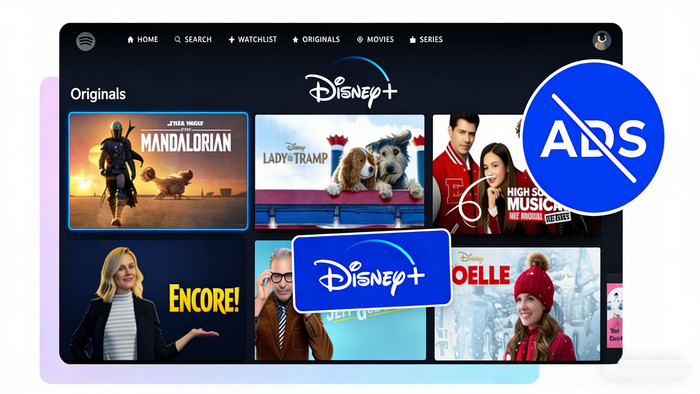
The answer is yes, Disney Plus has ads, but only if you pick the cheaper plan (sometimes called Disney+ with ads). This lower-priced option with ads Disney+ plan has already been introduced in late 2022. Here this article will explain Disney+'s no ads plan, and how to block Disney+ ads while watching.
Part 1. Overview of Advertisement on Disney Plus
1.1 Disney+ Basic with Ads Vs. Disney+ Premium
Disney+ currently provides 2 options: Disney+ Basic (With Ads) and Disney+ Premium (No Ads). Both provide the entire video library, 4K video quality, 5.1 surround or Dolby Atmos, and more. The main differences are the advertising, offline downloads, and price.
| Feature | Disney+ Basic (With Ads) | Disney+ Premium (No Ads) |
|---|---|---|
| Monthly Plan Price | $11.99/mo | $18.99/mo |
| Annual Plan Price | ❌ | $189.99/year |
| With Ads | ✅ | ❌ |
| Offline Downloads | ❌ | ✅ |
| Video Quality | Up to 4K UHD & HDR | Up to 4K UHD & HDR |
| Content library | Full access | Full access |
Q: What's Disney+ Basic with Ads?
Disney+ With Ads plan is a more affordable standalone option in the U.S. You can watch the entire Disney Plus streaming video library, but with a few ads in exchange for a lower price.
Limits on Disney+ Basic With Ads
You will see ads before your video starts and during breaks, about 4 minutes of ads per hour of watching.
No download option available on this plan. If you wanna watch Disney+ videos on a plane without Wi-Fi, you will need to upgrade to Premium plan, or use DispCam, a third-party video downloader for Disney+.
1.2 Disney Plus Bundle Plan without Ads
If you are looking for Disney+ Plus plan without ads, you can also join its bundle tiers to get more entertainment for less money.
| Disney+ Bundle (No Ads) | Monthly Price | What's Included |
|---|---|---|
| Disney+ Premium | $19.99 | Disney+ (No Ads) |
| Disney+ & Hulu Bundle Premium | $19.99 | Disney+ (No Ads) Hulu (No Ads) |
| Disney+, Hulu, & Max Bundle Premium | $32.99 | Disney+ (No Ads) Hulu (No Ads) HBO Max (No Ads) |
| Disney+, Hulu, & ESPN Select Bundle Premium | $29.99 | Disney+ (No Ads) Hulu (No Ads) ESPN Select (With Ads) |
| Disney+, Hulu, & ESPN Unlimited Bundle Premium | $44.99 | Disney+ (No Ads) Hulu (No Ads) ESPN Unlimited (With Ads) |
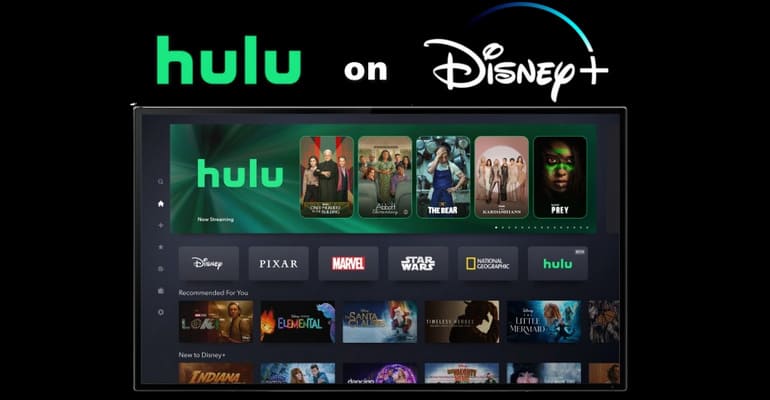
Hulu on Disney+ One-App: Is the Disney Bundle a Good Deal?
Disney Bundle subscribers can start experiencing one app of Disney+ and Hulu now. All you need to know about Disney Bundle can be found in this article.
Part 2. How to Upgrade to Disney+ No Ads Plan
The quickest way to watch Disney+ videos without ads is to upgrade to its Premium plan. Here's how to do it:
Step 1 Visit disneyplus.com on your browser, and log in to your account.
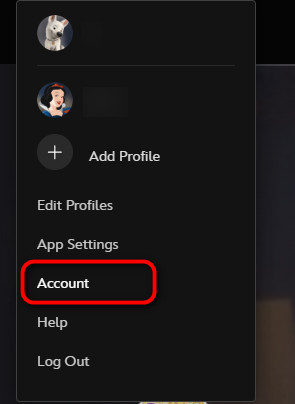
Step 2 Go to your account settings: click Profile, select Account.
Step 3 Find your current Disney+ plan, scroll down to Your Plans & Billing.
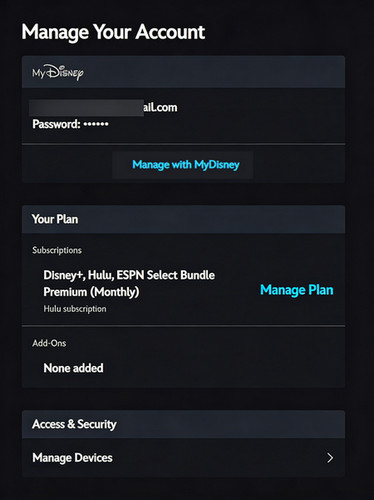
Step 4 Click Change Manage Plan. From the list, choose Disney+ Premium (No Ads).
Step 5 Follow the prompts and confirm. You will receive a confirmation email once it's done.
Q: I Can't upgrade to Disney Plus no ads plan, why?
It's recommended to upgrade your Disney+ plan on a browser, not mobile app. Because some features are web-only.
Clear cache on your browser or Disney+ app, and try again.
If the above can't help, you may need to contact Disney Plus support.
Part 3. Download Disney+ Videos Without Ads
Disney+ basic plan allows you to visit full library of movies and TV shows, just like paid premium subscribers. However, you will encounter limitations like ad interruptions, offline download restrictions, etc.
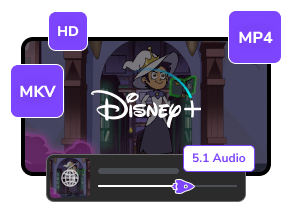
So if you want to block ads when using Disney+ basic plan, DispCam Disney+ Video Downloader helps - download all Disney Plus movies, shows, anime, originals completely ad-free, while saving titles into MP4 or MKV open-source format.
By using DispCam, you can now enjoy your favorite Disney+ content offline, anytime and anywhere.
Disclaimer: This article is for informational and educational purposes only. Please ensure this tool is for personal use only.
Learn more about DispCam >>
A user-friendly Disney Plus video downloading solution that can help you save unlimited videos on multiple devices.
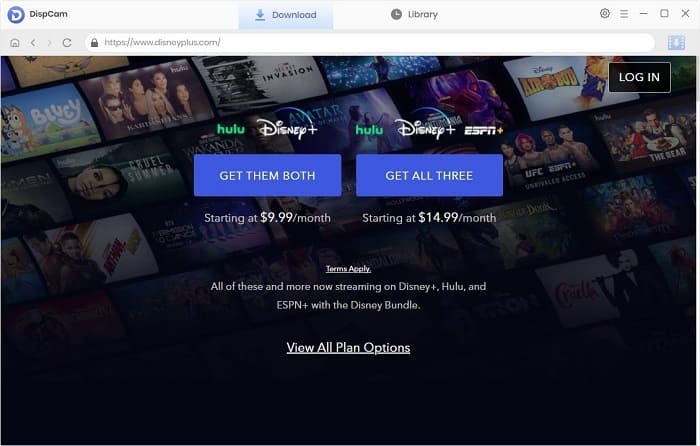
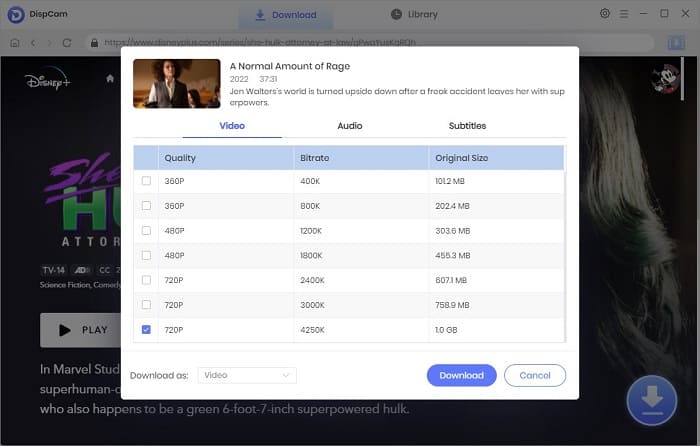
Step 1 After downloading and launching DispCam, log into your Disney Plus no ads plan. Then choose a target Disney+ title.
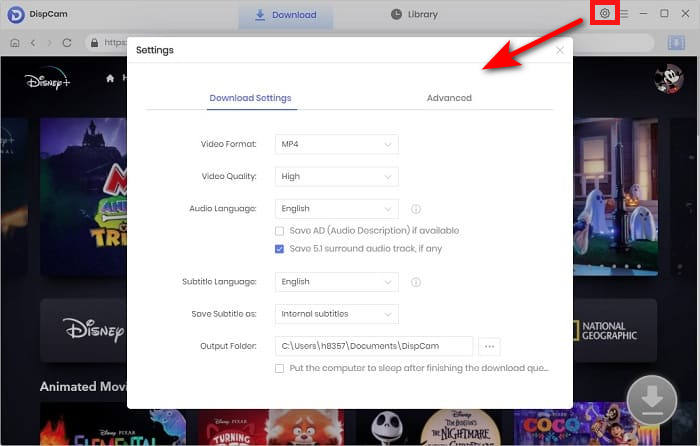
Step 2 Tap Settings to choose the output format (MP4 or MKV), output quality, etc.
Step 3 Click the "Download" button to start downloading Disney+ videos without ads. Once done, you can enjoy Disney+ movies and shows offline, all without needing a Premium subscription.

Does Disney Plus Have Ads? Can I Remove it or Skip it?
Learn how to remove or skip Disney Plus ads in three possible ways and understand Disney+ ads durations and other FAQs.
Part 4. FAQs to Get Disney+ Videos No Ads
Can I download Disney+ videos ad-free without the Premium plan?
No, but yes.
You can not officially download ad-free Disney+ videos on the Basic plan. The download feature is exclusive for Premium Disney+ tier ($18.99/month or $189.99/year) or bundles that include Disney+ Premium.
But, you can use a third-party downloader like DispCam to save Disney+ videos as MP4/MKV without ads. An alternative to enjoy ad-free streaming of Disney+ videos and get your own offline copies.

DispCam Review: The Best Disney Plus Video Downloader
If you want to know more about DispCam before buying the subscription, this review article will help you learn more about it in detail.
Can I use ad blockers to remove Disney+ ads?
No, ad blockers do not reliably remove ads on Disney+ (With Ads).
Disney+ has embedded advertisements into the video stream, so browser extensions (uBlock Origin, AdGuard, AdLock) or mobile apps (Blokada, etc.) can't separate any ad from it.
Can I VPN to reduce Disney+ ads?
No, a VPN can't avoid watching Disney+ ads. The advertisements are tied to your Disney+ plan, not your IP address. In other words, if you change your location, you will still get ads with the Disney+ basic plan.
Can I get ad-free Disney+ for free?
There's no free tier on Disney+, but you can join its time-limited promotions to get Disney+ Premium no ads plan for free from other partnered dealers, like Verizon, US Mobile, O2, etc.

How to Get Disney Plus Free Trial in 2026?
While Disney+ does not currently offer a free trial, you can get a free subscription with these 5 ways in 2026 and learn how to save Disney Plus forever.
The End
To block ads on Disney+, you can upgrade to the Disney+ Premium or its bundle plans. Alternatively, you can use third-party tools like DispCam to download ad-free content.
Note: The free trial version of DispCam allows you to download the first five minutes of each video. To download the full video, you may need to subscribe to DispCam to unlock the limitation.
Tessa Kirkland | Senior Writer