 DOWNLOAD Win
 DOWNLOAD MAC
How to Save Hotstar Video Download in Gallery: 5 Ways on PC, Mac & Mobile
 Tessa Kirkland
- 22 February, 2026
- Blog
How to download Hotstar videos in gallery? Looking for a simple and effective solution? If you’re using the official Hotstar app, unfortunately, Hotstar does not allow you to save downloaded videos to your gallery. All offline downloads are restricted to in-app playback, cannot be transferred to other devices, and may expire after a certain period.
That’s why many users turn to third-party Hotstar video downloaders. These tools let you download Hotstar videos in MP4 or MKV format and save them directly to your gallery, giving you the freedom to watch your favorite Hotstar movies and TV shows without device, app, or time limitations.
 You may also be interested in: Download Disney+ Hotstar Videos on Windows PC
- Part 1. How to Download Hotstar Videos in Gallery on PC & Mac?
- Save Hotstar Video Download in Gallery with DispCam Hotstar Video Downloader 🔥
- Screen Record Hotstar Video Download in Gallery with FlixiCam StreamOne
- Save Hotstar Video Download in Gallery with Acethinker Online Hotstar Video Downloader
- Save Hotstar Video Download in Gallery with IDM
- Part 2. How to Download Hotstar videos in Mobile Gallery? [Mobile Phone]
- FAQ about Hotstar Video Download in Gallery

Part 1. How to Download Hotstar Videos in Gallery on PC & Mac?
If you want to know how to save Hotstar video downloads to your gallery on a PC, laptop, or Mac, keep reading. We’ll introduce 4 proven methods and break down their pros and cons, so you can easily choose the best Hotstar video downloader for you.
1. Save Hotstar Video Download in Gallery with DispCam Hotstar Video Downloader
- Official Website: https://www.dispcam.com/
- User Rating: ⭐⭐⭐⭐⭐
- Best for: Users who want to save Hotstar video downloads in gallery forever
If you’re looking for a reliable way to download Hotstar in gallery for Windows PC or Mac, DispCam is a choice you shouldn’t miss. Unlike the official Hotstar app, which only allows temporary downloads, DispCam enables you to permanently download Hotstar movies and TV shows in MP4 or MKV format. This means you can watch your favorite Hotstar content offline anytime, on any device, without restrictions.
DispCam also supports downloading ad-free Hotstar videos automatically, so you can enjoy Hotstar movies and series without unwanted interruptions. Worried about complicated download steps? There’s no need. DispCam features a built-in Hotstar browser that works just like a regular web browser, making it easy to use with zero learning curve. Simply browse, click, and download—everything is designed to be smooth, fast, and beginner-friendly.
🏆Main Features of Hotstar Video Downloader🏆
- Download Hotstar videos in gallery in 1080p. (Enhance to 8K with AI)
- Enjoy 10X fast download speeds with no limits on the number of downloads.
- Support downloading videos from both Disney+ Hotstar and Disney+ videos in MP4 or MKV format.
- Support downloading subtitles & dubbing in multiple languages.
Compatibility: Windows 10/11, macOS 11 or later.
How to Download Hotstar Videos in Gallery
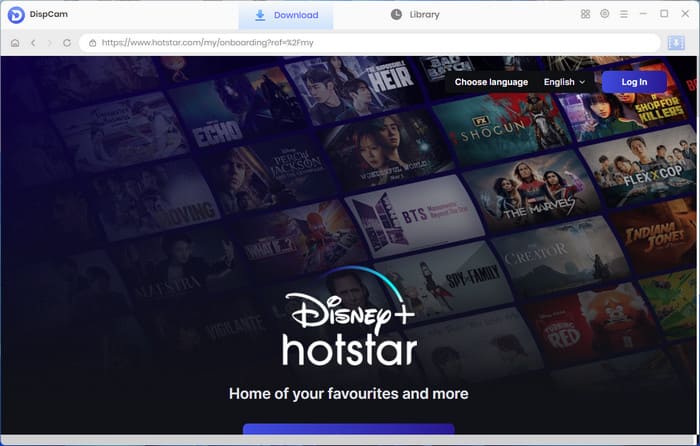
Step 1 Log in to Hotstar Account
Launch DispCam Hotstar Video Downloader on your computer. You’ll be prompted to select a supported platform. Choose "Disney+ Hotstar", then sign in to your Disney+ Hotstar account to access Hotstar.
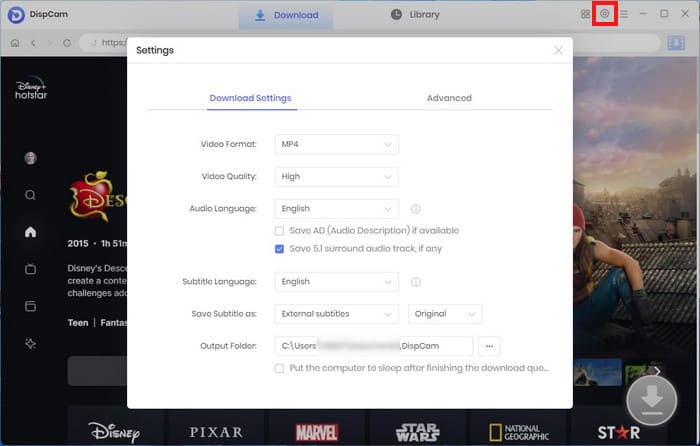
Step 2 Set the Output Settings
Open the "Settings" window to customize your Hotstar download preferences. You can choose the video path (device gallery), video quality (1080p), audio language, and subtitle language before you start downloading Hotstar videos.
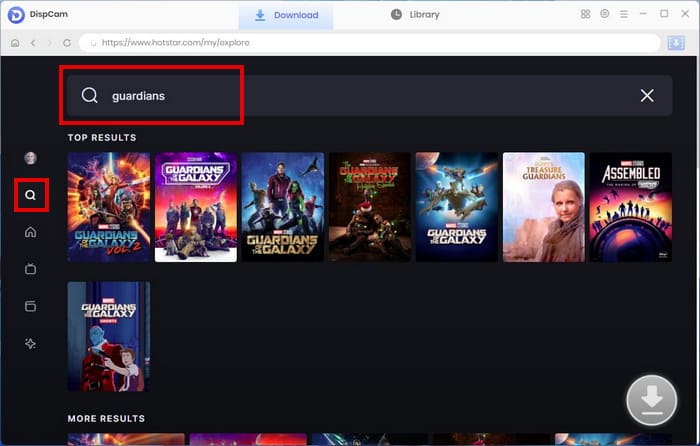
Step 3 Search for Hotstar Video
Use the built-in Hotstar browser to explore the Hotstar platform. You can directly search for Hotstar movies or TV series by name.
Step 4 Customize the Advanced Download Settings
Click the "Download" icon to open the Advanced Download window. Here, you can select resolution, bitrate, and file size for each video. You may also choose to download video, audio tracks, or subtitles separately.
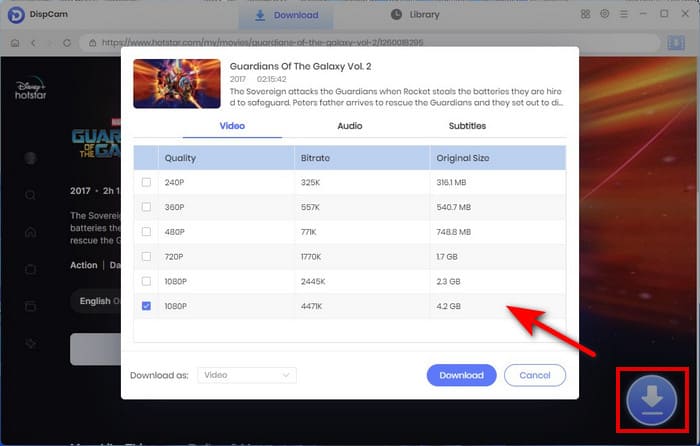
Step 5 Download Hotstar Video on PC or Mac
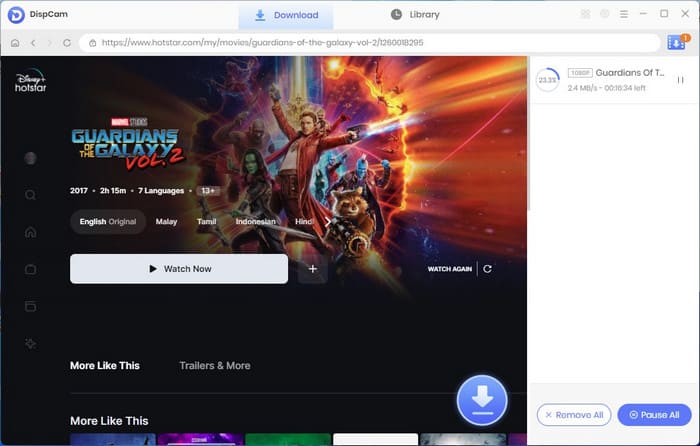
Hit the "Download" button to begin downloading Hotstar videos to your PC, laptop, or Mac. Once the process is complete, go to the "Library" section to access and manage your downloaded Disney+ Hotstar content.
Pros
- Supports downloading Hotstar videos in MP4 and MKV formats.
- Allows to download audio tracks and subtitles in different languages.
- Offers 5× faster download speed and supports batch downloading of Hotstar movies and TV shows.
Cons
- Does not support downloading Hotstar live content.
2. Screen Record Hotstar Video Download in Gallery with FlixiCam StreamOne
- Official Website: FlixiCam StreamOne
- User Rating: ⭐⭐⭐⭐
- Best for: Users who frequently watch live content
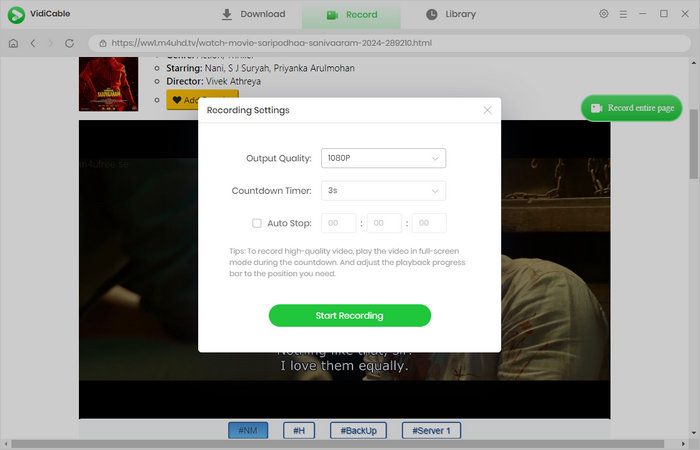
Using screen recording is also an effective way to save Hotstar downloads in gallery, especially when you want to preserve live content that cannot be downloaded in advance. FlixiCam StreamOne not only supports downloading Hotstar videos for offline viewing, but also offers real-time recording for live shows and sports events.
With FlixiCam StreamOne’s background recording function, you don’t need to keep the recording window open or stop what you’re doing. You can still work, browse, or use other apps while the Hotstar video is being recorded. Once the timer is set, the Hotstar live video will be automatically recorded and saved to your device's gallery.
Pros
- Can record any Hotstar video, including live streams and on-demand content.
- Supports background recording, allowing you to use your device without interruptions.
Cons
- Recorded Hotstar videos may include mid-roll or pre-roll advertisements.
- Recording time matches the full video duration, as videos are captured in real time.
3. Save Hotstar Video Download in Gallery with Acethinker Online Hotstar Video Downloader
- Official Website: https://www.acethinker.com/online-downloader-8
- User Rating: ⭐⭐
- Best for: Users who want a quick, browser-based method to download Hotstar videos in gallery
If you are looking for a way to download Hotstar videos to your gallery without installing any software, using an online Hotstar video downloader can be an option worth considering.
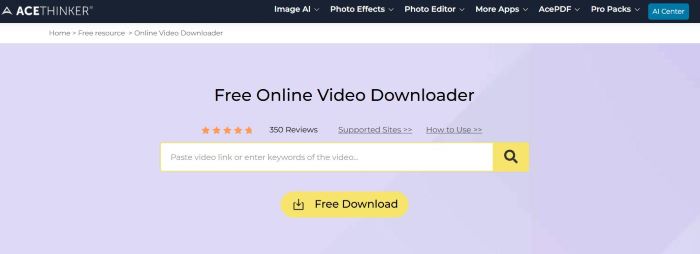
Acethinker Video Downloader is an easy-to-use online video downloader. You don’t need to download or install any desktop program or mobile app. Instead, you just copy and paste the Hotstar video link into Acethinker’s online downloader, select your preferred video quality, and then save the video as an MP4 file to your device for offline viewing.
At the same time, Acethinker also supports downloading movies and TV shows from multiple websites, making it a solid option for users who want an all-in-one online video download solution. However, based on our testing, the download success rate is not very high, especially when dealing with streaming platforms or large video files.
Pros
- Supports free video downloads from multiple websites.
- Allows you to save Hotstar videos as MP4 files directly to your gallery.
- No app installation required to download videos.
Cons
- May not support DRM-protected Hotstar videos.
- Has a relatively low success rate when downloading Hotstar videos.
Acethinker online Hotstar video downloader not working? Try this reliable Disney+ Hotstar Video Downloader instead to download Hotstar videos in MP4.

6 Best Sites for Hollywood Movie Download in Hindi (MP4 & HD)
Discover the 6 best sites for Hollywood movie download in Hindi, where you can easily download HD Hollywood movies as MP4 files for offline viewing.
4. Save Hotstar Video Download in Gallery with IDM (Internet Download Manager)
- Official Website: https://www.internetdownloadmanager.com/
- User Rating: ⭐⭐⭐
- Best for: Users who want to download Hotstar videos in gallery on any web browser
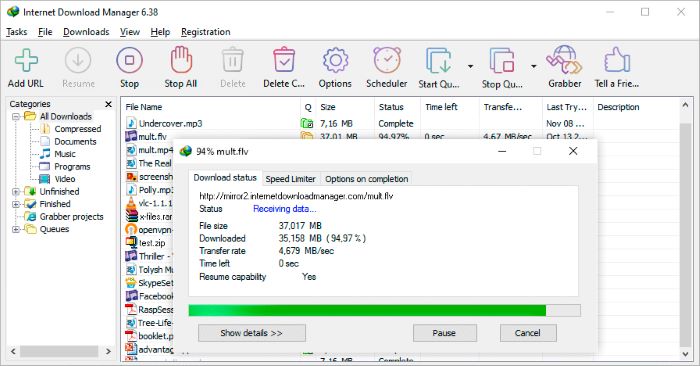
Internet Download Manager (IDM) is a powerful and trusted downloader used by millions of users to download files faster and more efficiently. It also supports downloading videos from popular streaming platforms such as Hotstar, YouTube, and Dailymotion, allowing users to save videos for offline viewing with ease.
With IDM, you can easily download videos, audio tracks, GIFs, documents, and ZIP files from almost any website. One of its major advantages is its compatibility with all major web browsers, including Google Chrome, Firefox, Microsoft Edge, Opera, Safari, and Windows’ built-in browsers. This means IDM is suitable for users on virtually any device or platform, providing a seamless and efficient download experience.
🚀Can't download Hotstar videos? It is recommended to use a more professional Disney+ Hotstar Video Downloader to batch-download Hotstar videos to gallery.
Pros
- Supports downloading not only videos, but also audio files, GIFs, and documents.
- Compatible with all major web browsers.
- Offers a free 30-day trial.
Cons
- A paid license is required after the 30-day trial period.
- IDM can only capture standard MP4 or non-encrypted video streams and does not support DRM-protected content.
Web Series Download: 100% Free Legal & Offline Guide for All Platforms
Want to get safe, legal ways to download web series in 2026? Here you will get 10 web series download sites like Netflix, Prime, MX Player & Tubi, and more.
Part 2. How to Download Hotstar videos in Mobile Gallery? [Mobile Phone]
- Official Website: http://www.vidmate.com/
- User Rating: ⭐⭐
- Best for: Users who want to download Hotstar videos on Android
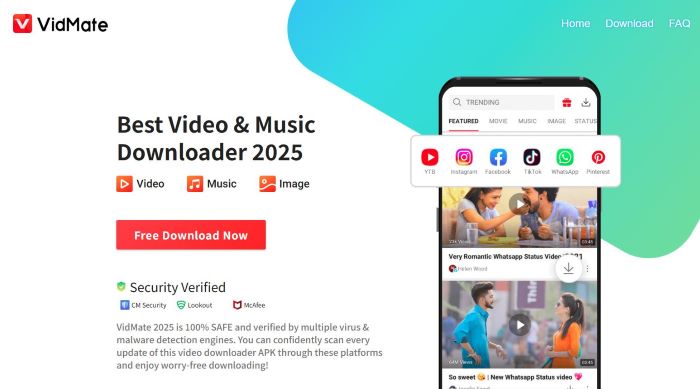
VidMate is a popular Hotstar video downloader APK for Android users, well known for its ability to download videos from a wide range of websites. With VidMate, users can quickly download videos for offline viewing from platforms such as Instagram, Facebook, YouTube, and many other popular video sites.
One of its key features is the built-in browser, which allows users to easily find and download Hotstar videos without switching between multiple applications. VidMate also offers multiple resolution options, enabling users to choose different video qualities based on their device storage capacity.
However, VidMate should be used with caution. The app is not available on the Google Play Store, which raises concerns about privacy and security risks. Since it must be downloaded as an APK from third-party sources, there is a possibility that your device's security and personal data could be affected.
🚀Having trouble with VidMate? No worries — DispCam Disney+ Hotstar Video Downloader lets you download Hotstar videos straight to your device for offline viewing.
Pros
- Supports directly downloading Hotstar videos in mobile gallery for offline viewing.
- Allows video downloads from multiple websites.
Cons
- Device security may not be fully guaranteed when using such tools.
3. FAQ about Hotstar Video Download in Gallery
Is hotstar video downloader safe?
It depends. For better security, we recommend avoiding online Hotstar video downloaders, as these tools often rely on redirect ads that may expose your device to potential risks. Instead, it’s safer to use a dedicated Hotstar video downloader DispCam and FlixiCam StreamOne. These professional desktop downloaders allow you to securely save Hotstar videos to your gallery, while also automatically removing ads, ensuring a safer and smoother offline viewing experience.
Why can't I download hotstar videos on my laptop?
You can’t download Hotstar videos on a laptop because Hotstar only allows downloads on mobile devices, not on Windows or Mac. To download Hotstar videos in gallery safely and reliably, it’s recommended to use a professional Hotstar video downloader that supports Windows or macOS, such as DispCam Hotstar Video Downloader.
Can I play Hotstar downloaded videos outside the Hotstar app?
If you download Hotstar videos with the Hotstar app, videos downloaded through the Hotstar app can only be played within the app and cannot be accessed or played on other media players. However, you can download Hotstar videos in MP4 with a third-party DispCam Hotstar Video Downloader.
Final Words:
In this article, we’ve covered five effective ways to download Hotstar videos to your gallery, helping you easily save Hotstar content on PC, Mac, and mobile devices. Each method has its own strengths, depending on your needs and device.
If you’re looking for a simple and reliable way to download Hotstar videos on PC or Mac, we highly recommend DispCam. This powerful app allows you to convert Hotstar videos into ad-free MP4 or MKV files, so you can enjoy unlimited offline playback on any device, anytime.
Tessa Kirkland | Senior Writer