DOWNLOAD Win
 DOWNLOAD Mac
7 Best Bilibili Video Downloaders in 2026 (PC, Mac & Android)
 Tessa Kirkland
- 21 September, 2026
- Blog
Looking for the best Bilibili video downloader? You’re in the right place. We’ve tested and reviewed 7 Bilibili downloaders, covering a wide range of use cases. Whether you need a powerful desktop Bilibili downloader for PC or Mac, an easy-to-use online Bilibili downloader, a lightweight Chrome extension, or Bilibili downloader APK, you’ll find the right option here.
In this article, we break down the features, strengths, and limitations of each tool to help you choose the best Bilibili video downloader for your needs.
- Key Takeaways
- Part 1: Bilibili Video Downloader for PC/Mac 🏆
- Part 2. Online Bilibili Video Downloaders
- Part 3. Bilibili Video Downloader Chrome Extensions
- Part 4. Bilibili Video Downloader APK for Android
- Part 5. Comparison Table of Bilibili Video Downloaders
- Part 6. FAQs about Bilibili Video Downloader
Key Takeaways
Official methods like Bilibili Premium downloads offer a safe and reliable way to watch Bilibili videos offline, but downloads are often limited by device restrictions and playback rules.
Third-party Bilibili video downloaders provide more flexibility, allowing users to save videos in MP4 or MKV formats and watch content offline anytime. However, some tools may include ads, unstable downloads, or missing audio.
For users who need higher video quality, complete audio and subtitles, or batch downloads, desktop tools like FlixiCam StreamOne offer more advanced options, such as 1080p/4K downloads, separate audio and subtitle saving, and support for multiple streaming platforms beyond Bilibili.
⚠️ Disclaimer: This article is for informational purposes only and does not promote illegal streaming or downloading. We support copyright protection and encourage viewing content through legal platforms.
Part 1: Bilibili Video Downloader for PC/Mac
1.1 FlixiCam StreamOne Bilibili Video Downloader
- Link: https://www.dispcam.com/streaming-video-downloader.html
- User Rating: ⭐⭐⭐⭐(4.2/5 based on Trustpilot reviews)
FlixiCam StreamOne is an easy-to-use Bilibili video downloader to download Bilibili videos on your computer. You can save videos in up to 4K quality as MP4 or MKV, and even download subtitles and audio separately for the ultimate viewing experience. Safety is never an issue—FlixiCam StreamOne is completely ad-free and won’t redirect you to any other websites, so you can download your favorite content securely.
FlixiCam StreamOne isn’t just for Bilibili—it supports over 1,000 popular streaming platforms, including Netflix, Disney+, Amazon Prime Video, HBO Max, YouTube, and more. Whether it’s movies, series, or clips, FlixiCam StreamOne has you covered.
Pros
- Download Bilibili videos in 4K quality.
- Support downloading Bilibili audio in MP3.
- Allow to save Bilibili subtitles in SRT.
- Download videos in MP4/MKV from 1000+ sites, including Netflix, Amazon Prime, Disney+, and more.
- It is available to download subtitles & audio tracks in multiple languages.
- 100% safe and ad-free.
Cons
- Requires installing the software; it cannot be used online.
How to Download Bilibili Videos with FlixiCam StreamOne?
Step 1 Run FlixiCam StreamOne and Visit Bilibili
Head to the Download tab. Next to the address bar, click Switch Website, choose More Sites, and select Bilibili. This opens Bilibili directly in FlixiCam StreamOne’s built-in browser.
Step 2 Customize the Output Settings
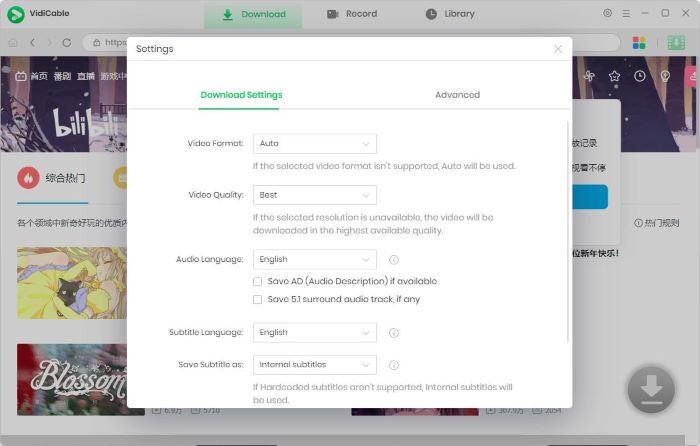
Hit the Settings icon to tweak your download options. Pick your preferred video format (MP4 or MKV), set the output folder, and adjust video quality. You can choose "Best" or "1080p" here.
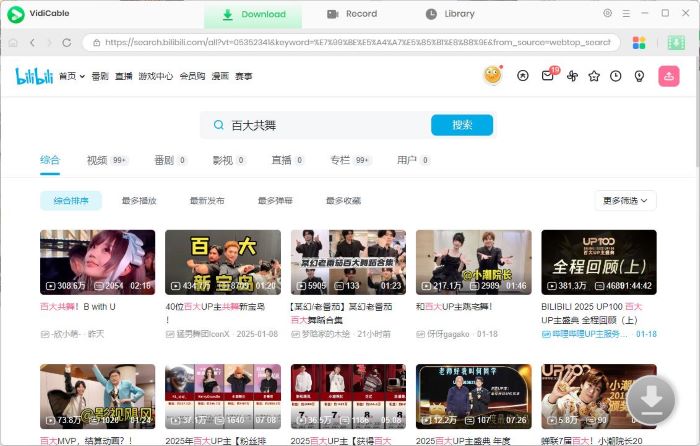
Step 3 Search for the Bilibili Video
Use the search bar to look for the Bilibili video you want to download, or browse the homepage inside the app. Once you start playing the video, the Download icon in the bottom-right corner becomes active (green).
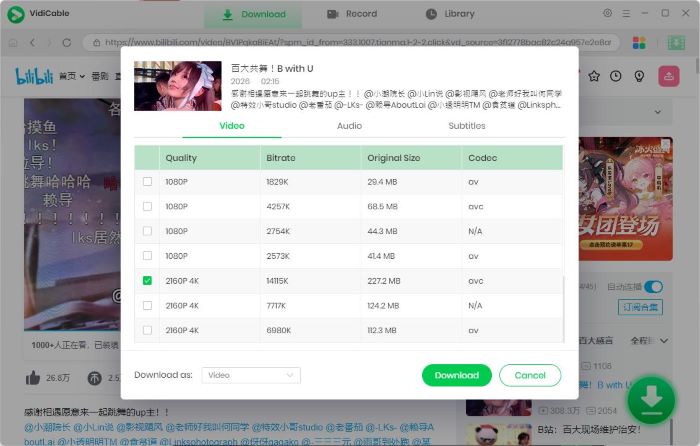
Step 4 Advanced Download Settings
Click the Download icon to open the options window. Choose the video quality, and pick audio and subtitle tracks.
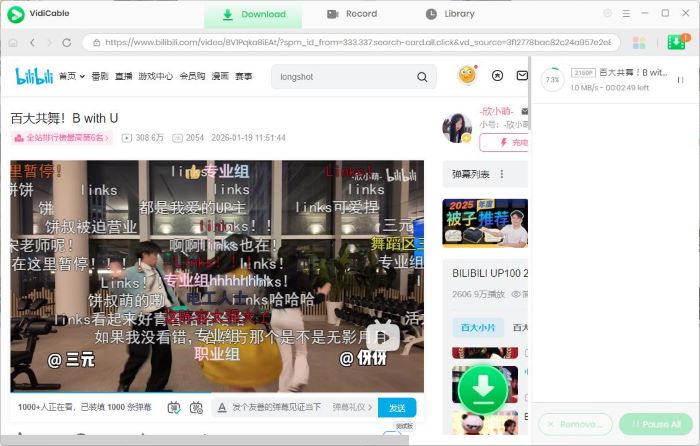
Step 4 Start Downloading Bilibili Video
Click Download and let FlixiCam StreamOne do its thing. When the process finishes, all your downloaded videos will appear under the Library tab, ready to watch offline anytime.
Part 2. Online Bilibili Video Downloaders
2.1 SnapAny
- Link: https://snapany.com/bilibili
- User Rating: ⭐⭐⭐⭐(4.2/5 based on user reviews and community feedback)
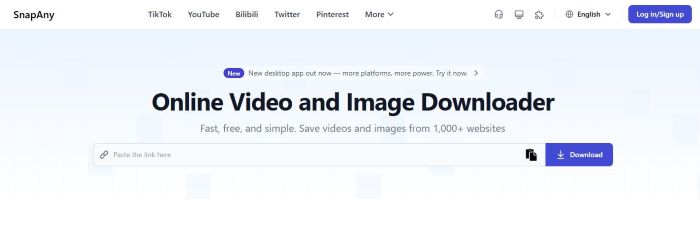
SnapAny allows users to download videos on almost any web browser, making it a convenient Bilibili downloader for cross-platform use. As long as you open it on your device, you can save videos for offline viewing on PC, Mac, Android phones, and iPhones without installing additional software.
SnapAny is also designed for a global audience, offering a multilingual interface that includes English, Chinese, Spanish, Portuguese, Russian, Japanese, French, Korean, German, and Italian, making it accessible to users from different countries.
However, despite claiming to support 8K video downloads, SnapAny does not allow users to manually select the output video quality. This limitation makes it less appealing for users who prioritize high-quality Bilibili video downloads and want full control over resolution.
Pros
- Supports downloading Bilibili videos and preview thumbnails.
- Offers a multilingual interface for users worldwide.
- Works on both mobile devices and computers.
Cons
- Does not support selecting video quality or resolution.
- Downloads are not completed automatically and require manual action to finish.
How to Download Bilibili Videos Using SnapAny?
Step 1 Copy the Bilibili video link you want to download.
Step 2 Paste the link into SnapAny and click Download.
Step 3 You will see two options: Download Video and Download Thumbnail.
Step 4 After selecting Download Video, a new page will open. Click the three dots in the bottom-right corner of the page and choose Download.
Step 5 The Bilibili video will be downloaded as an MP4 file, allowing you to watch it offline.
2.2 Download Bunny
- Link: https://dlbunny.com/en/bilibili
- User Rating: ⭐⭐⭐⭐(4.0/5 based on web feedback)
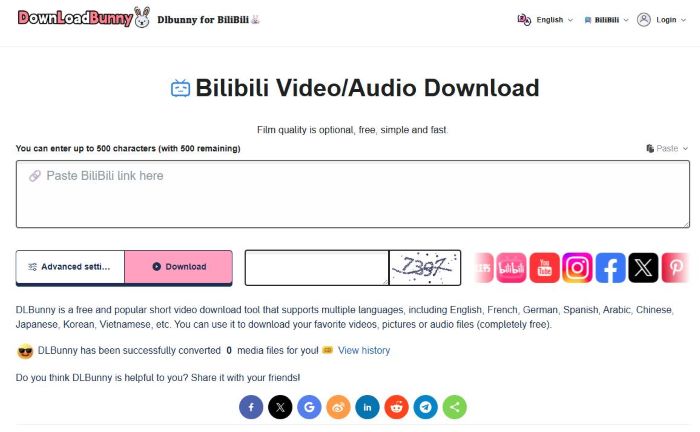
Download Bunny is a solid option if you’re looking for a quick way to save Bilibili content. This online Bilibili video downloader allows users to download Bilibili videos in MP4 format or extract audio as MP3, with multiple video quality options available.
However, Download Bunny also comes with some drawbacks. Videos downloaded through this tool may lack audio, requiring users to manually merge the sound afterward. In addition, a captcha must be entered before every download, which makes it inconvenient for users who want to batch download multiple Bilibili videos. These limitations can significantly affect the overall user experience, especially for heavy or frequent downloaders.
Pros
- Supports downloading files in multiple formats, including MP4 video, MP3 audio, and images.
- Allows users to choose from multiple video resolutions and file sizes.
- Supports online video preview before downloading.
Cons
- Does not support batch downloads.
- Requires entering a verification code before each download.
- Downloaded videos may have no audio and require manual audio merging.
How to Download Bilibili Videos with Download Bunny?
Step 1 Copy the Bilibili video link and paste it into Download Bunny.
Step 2 In the lower-left corner, open Advanced Settings and choose MP4, MP3, or JPEG.
Step 3 Enter the required verification code, then click the pink Download button. You will see different resolution options.
Step 4 Select the resolution you want and wait for the video download to complete.
2.3 Locoloader
- Link: https://www.locoloader.com/
- User Rating: ⭐⭐⭐(3.0/5 based on community and extension reviews)
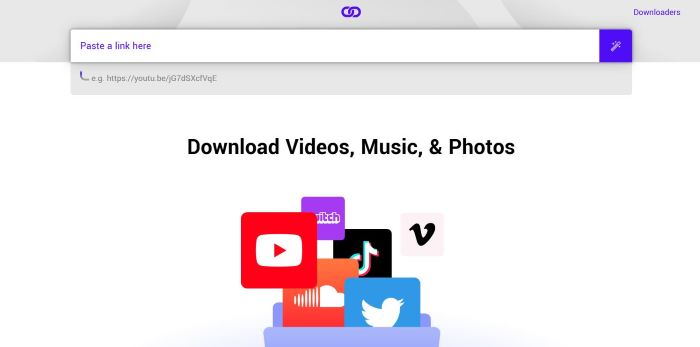
Locoloader is a popular online video downloader that supports a wide range of platforms, including Bilibili, Instagram, TikTok, and Reddit. Like many other Bilibili video downloaders, it features a user-friendly process: simply copy and paste the Bilibili link into the tool to save your favorite videos to your local library. However, Locoloader has limitations regarding output quality. It currently only supports 360p and 480p resolutions, which may not be ideal for users looking for HD downloads.
Pros
- Supports downloading videos not only from Bilibili, but also from other sites such as Instagram, Reddit, and more.
- Allows users to convert Bilibili videos into MP3 audio files for offline listening.
Cons
- Offers limited video quality options, with only 360p and 480p resolutions available.
How to Download Bilibili Videos with Locoloader?
Step 1 Paste the Bilibili video link into Locoloader. Locoloader will automatically analyze the link and provide several download options.
Step 2 The available options include audio, video, and silent video. Make sure to select the with audio option.
Step 3 To download the file, right-click the Download button and select “Save Link As…”.
Step 4 Then you can watch Bilibili videos offline on your device.
Part 3. Bilibili Video Downloader Chrome Extensions
3.1 Video DownloaderHelper
- Link: https://chromewebstore.google.com/detail/video-downloadhelper/lmjnegcaeklhafolokijcfjliaokphfk?hl=en
- User Rating: ⭐⭐⭐⭐(4.4/5 based on 29.2k comments)
With over 29,200 reviews, you’ve likely already installed Video DownloadHelper—one of the most popular Chrome extensions on the market. If you haven't tried it yet, it is a powerful alternative for downloading Bilibili videos.
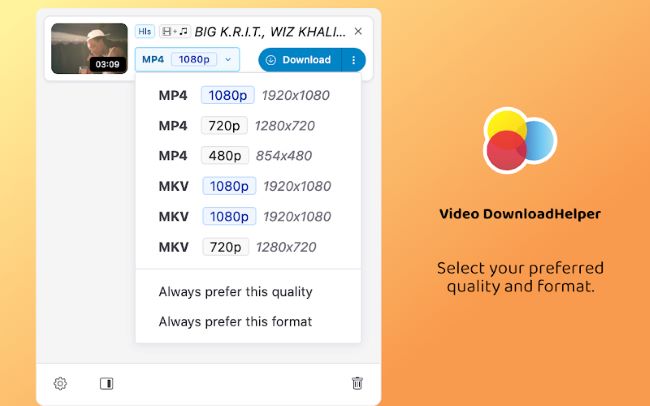
This tool offers advanced features that go beyond basic downloaders; you can customize your output file path and choose from multiple formats like MKV and MP4. Most importantly, it allows you to set your preferred default resolution, ensuring you always capture content in 1080p Full HD or 720p whenever available.
Pros
- Allows users to customize the output path for downloaded videos.
- Supports downloading videos in multiple formats, including MKV and MP4.
- You can set the default download quality to the highest available, either 1080p or 720p.
Cons
- Does not allow manual selection of video resolution.
- It may be failed to detect and parse video.
How to Download Bilibili Videos with Video DownloaderHelper?
Step 1 Install Video DownloaderHelper from the Chrome Web Store on your computer.
Step 2 Open the Bilibili video you want to download in your browser and start playing it.
Step 3 Click the Extensions icon in the top-right corner of the browser and select Video DownloaderHelper.
Step 4 You will see available download options such as MKV and MP4. We recommend choosing MP4 for better compatibility.
Step 5 Click the corresponding download button and wait for the download to complete.
3.2 FetchV
- Link: https://chromewebstore.google.com/detail/fetchv-video-downloader-f/nfmmmhanepmpifddlkkmihkalkoekpfd
- User Rating: ⭐⭐⭐⭐⭐(4.9/5 based on 6k comments)
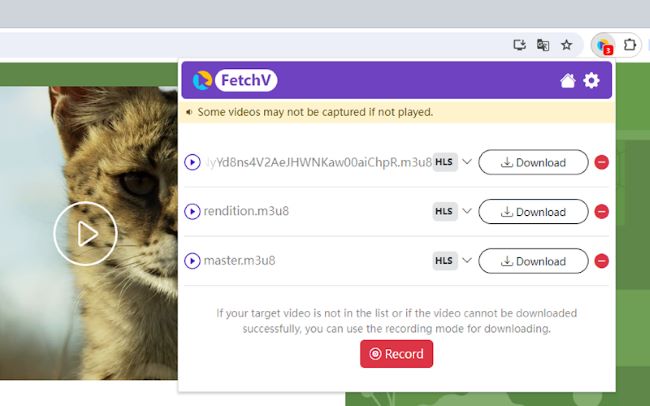
FetchV is another Chrome extension that supports downloading videos from Bilibili. Once installed in your web browser, it lets you download Bilibili videos easily without setting up any additional software, making it a great choice for users who prefer a lightweight and simple solution. If direct downloads fail for any reason, FetchV also offers a recording mode, allowing you to capture and save your favorite Bilibili videos as MP4 files for offline viewing.
Pros
- Allows users to decide whether to automatically save files locally.
- Supports downloading videos via recording, making it possible to capture content from sites that are otherwise restricted.
Cons
- Does not allow manual selection of video resolution.
- Some videos may fail to download, depending on the source or format.
How to Download Bilibili Videos with FetchV?
Step 1 Use the link provided above to visit the Chrome Web Store and install FetchV on your browser.
Step 2 Open the official Bilibili website, browse the content, and start playing the video you want to download.
Step 3 Once the Bilibili video is playing, click the Extensions icon in the top-right corner of your browser and select FetchV.
Step 4 Follow the on-screen instructions to download the Bilibili video. If the download fails for any reason, you can switch to FetchV’s recording mode to save the video instead.
Part 4. Bilibili Video Downloader APK for Android
- Link: https://play.google.com/store/apps/details?id=cc.kafuu.bilidownload
- User Rating: ⭐⭐⭐⭐(500+ downloads)
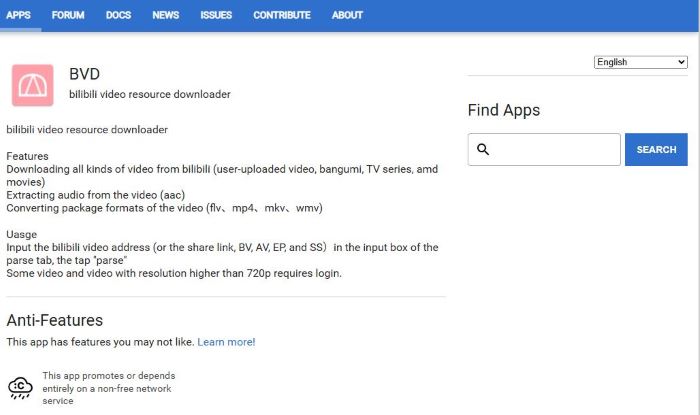
Looking for a way to save Bilibili content on your Android device? The BVD (Bilibili Video Downloader) APK is an excellent solution. This powerful mobile tool goes beyond simple downloads by allowing you to extract audio from videos (AAC) and convert video formats into files like MP4, MKV, FLV, and WMV. By simply copying the alphanumeric ID from any Bilibili video link, the app quickly parses the data, making it easy to download your favorite content directly to your Android phone.
Pros
- Supports downloading subtitles and on-screen comments (danmaku) along with videos.
- Allows saving video cover images for easy reference.
Cons
- Available only on Android devices, limiting usage on other platforms.
How to Download Bilibili Videos with Bilibili Video Downloader APK?
Step 1 Get the BVD Bilibili video downloade apk on your Android device. Open the app and go to the Parse tab.
Step 2 You can enter a BV, AV, EP, or SS ID into the input box.
Step 3 Tap the Parse button, and the app will analyze the video and load the available download resources.
Step 4 Choose the video quality and format you want to download. Tap the Download button to start downloading. Wait for the download to complete.
Step 5 Once finished, you can watch the downloaded Bilibili videos offline
Part 5. Comparison Table of Bilibili Video Downloaders
| Bilibili Video Downloader | Max Quality | No Watermark | Ad-Free | Easy to Use |
|---|---|---|---|---|
| FlixiCam StreamOne | 4K | ✅ | ✅ | ⭐⭐⭐⭐⭐ |
| SnapAny | 720p | ✅ | ❌ | ⭐⭐⭐⭐⭐ |
| Download Bunny | 720p | ✅ | ❌ | ⭐⭐⭐⭐☆ |
| Locoloader | 480p | ✅ | ❌ | ⭐⭐⭐⭐☆ |
| Video DownloaderHelper | 720p | ✅ | ✅ | ⭐⭐⭐⭐⭐ |
| FetchV | 720p | ✅ | ✅ | ⭐⭐⭐⭐⭐ |
| BVD (APK) | 1080p | ✅ | ✅ | ⭐⭐⭐⭐☆ |
Part 6. FAQs about Bilibili Video Downloader
How to download Bilibili video without watermark?
All the Bilibili video downloaders in this guide support downloading videos without watermarks. You can choose the downloader that best fits your device. For PC or Mac users, we recommend FlixiCam StreamOne, while Android users will find BVD to be a great option.
Can you download Bilibili in 4K?
Yes, you can download high-quality Bilibili videos, but not all Bilibili video downloaders can do that. Most online downloaders only support lower resolutions, such as 360p or 720p. If you want to download Bilibili videos in 4K, the best choice is FlixiCam StreamOne. This professional Bilibili downloader allows you to save videos in 4K MP4 or MKV formats, giving you the highest quality offline playback.
How to download Bilibili video with audio?
Although most Bilibili video downloaders support videos with audio, a few tools—such as Download Bunny—do not. To avoid downloading low-quality videos without sound, we recommend using FlixiCam StreamOne, a professional Bilibili downloader. It not only allows you to download videos with audio, but also lets you save the audio separately as MP3 files.
Final Words:
This guide reviewed 7 working Bilibili video downloaders, covering the needs of users across different devices like Android, PC, or Mac. For each tool, we also provided step-by-step instructions to help you download Bilibili videos easily and efficiently.
Keep in mind that some free Bilibili video downloaders may include ads or have feature limitations, so it’s important to use them with caution. If you’re looking to download Bilibili videos in 4K with better stability and higher output quality, FlixiCam StreamOne is a reliable option worth trying.
Tessa Kirkland | Senior Writer